How to Colorize Black and White Photos (Naturally)
How to colorize black and white photos with AI or by hand, how to get natural skin and sky colors, and why the colors are always an educated guess.

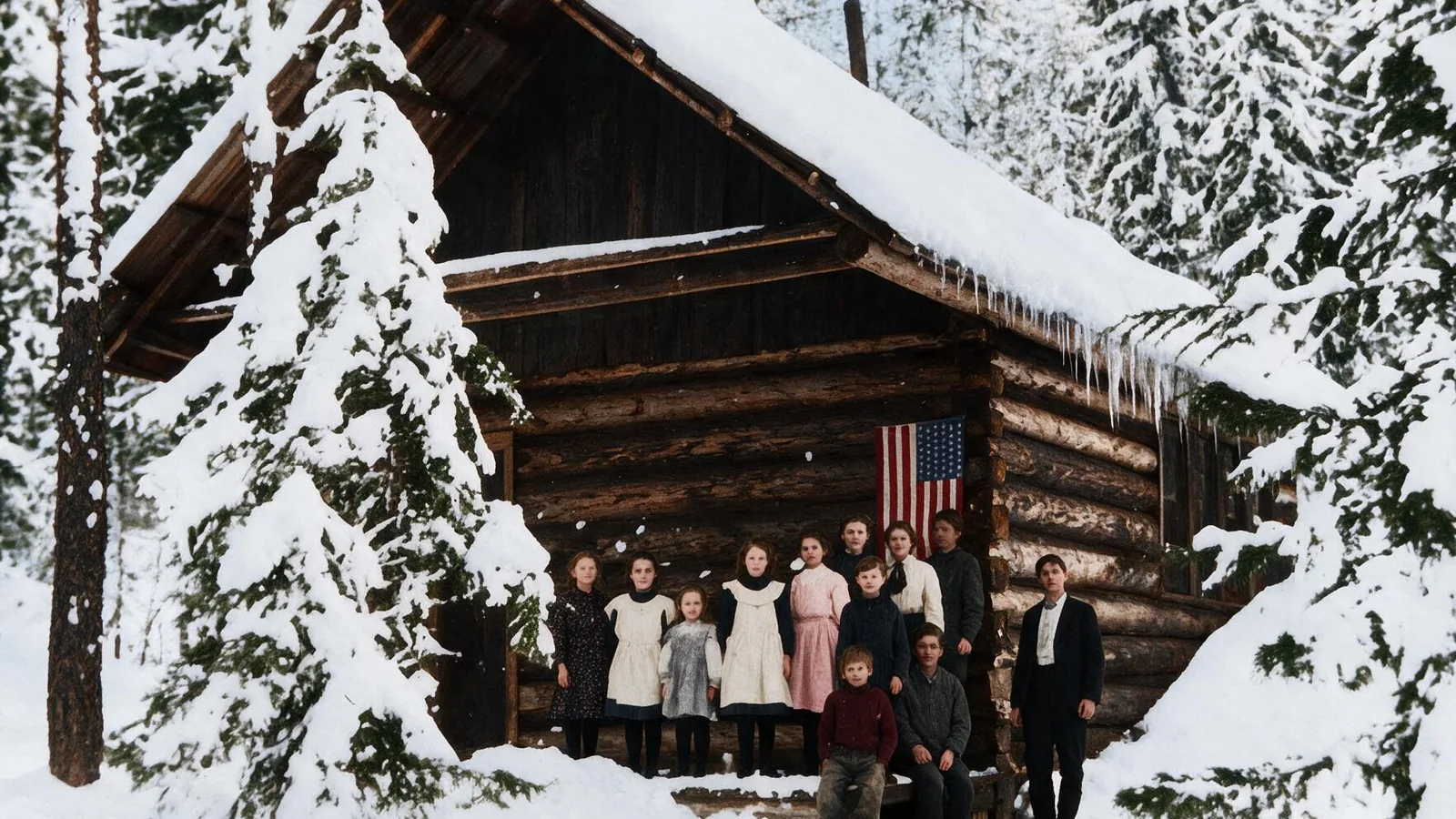
Seeing a grandparent's portrait or an old street scene in color makes it feel close, as if it were taken last week. Colorizing used to take hours of careful painting. Today AI gets most photos most of the way in under a minute. This guide covers how to do it, how to keep the colors believable, and what to watch for.
We colorized six real black and white photos while writing it, from 1930s documentary portraits to a mountain landscape and a dust storm farm.
Before you start: clean the photo first
If the print is scratched, spotted or creased, restore it before colorizing. Colorizing models treat a white scratch as part of the picture and paint it in. Run it through Restore Old Photos first, then colorize the clean version. Our guide on how to restore old photos explains scanning and repair.
Scan or photograph the print well, too: soft daylight, no glare, and the phone held flat above it.
How to colorize a photo with AI
- Open Colorize Photo and upload the black and white or sepia photo.
- Pick a style:
- Standard gives bold, saturated color and keeps the photo at its original size. It's quick and works on the free daily credits.
- Pro gives quieter, more believable color that keeps the mood of the original, such as a stormy sky staying stormy.
- Compare with the slider and download.
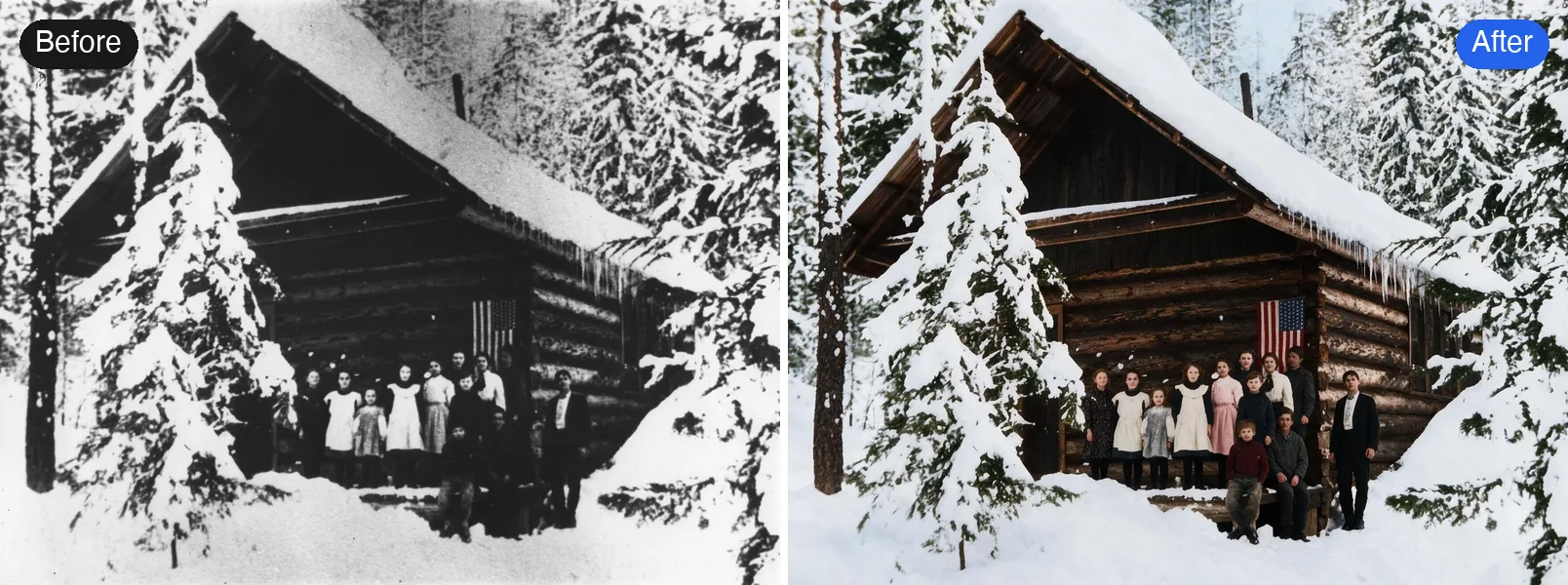
What we noticed across our tests:
- Skin and hair looked natural with Pro. Standard tends to warm skin up, as if everyone had been in the sun.
- Skies, rivers and grass were believable with Pro. Standard can push them brighter than real life, like a grey lake turning turquoise.
- The weather and mood matter. One model we tested turned a 1936 dust storm sky clear blue, which looked nice but wasn't the day the photo was taken, so we didn't use it.
How to colorize by hand
For one important photo, painting the colors yourself gives you full control.
In Photoshop:
- Make sure the image is in RGB mode (Image > Mode > RGB Color).
- Add a new layer for each area (skin, hair, clothes, sky) and set its blend mode to Color.
- Paint each area with a soft brush at low opacity, using a layer mask to clean the edges.
- Lower each layer's opacity until the color looks natural, and vary it a little; real skin isn't one flat shade.
- Add a final Hue/Saturation layer to tie everything together.
Photoshop's Neural Filters > Colorize gives a quick automatic start you can then refine by hand.
In GIMP (free): use the same idea with layers set to the Color mode.
Getting colors that feel right
- Look for references. Old catalogs, period films and photos from the same place and decade show what clothing, cars and buildings actually looked like.
- Ask the family. If someone remembers a dress was green or a car was red, adjust that area afterwards. No tool can know it.
- Keep it muted for old photos. Film from the 1930s to 1950s had softer, warmer color than today's phones. Slightly desaturated usually looks more convincing.
The colors are always a guess
A black and white photo records brightness, not color. A red and a green of the same brightness look identical in grey. So any colorization, AI or human, chooses likely colors based on what things usually look like. It gets most of the picture right, but specific details like the color of a uniform, a car or a dress can be wrong. Treat a colorized photo as a lovely interpretation, not a historical record.
Quick answers
Can I colorize a photo online for free? Yes. The Standard version of Colorize Photo runs on the free credits everyone gets each day, no sign-up needed.
Does it work on sepia or faded photos? Yes. For scratched or torn prints, restore them first for a cleaner result.
Will colorizing change the photo? Standard only adds color. Pro redraws the photo in color, so fine details can shift slightly. Compare with the slider before you download.
Try it on your own photo
Turn black and white photos into natural color.